
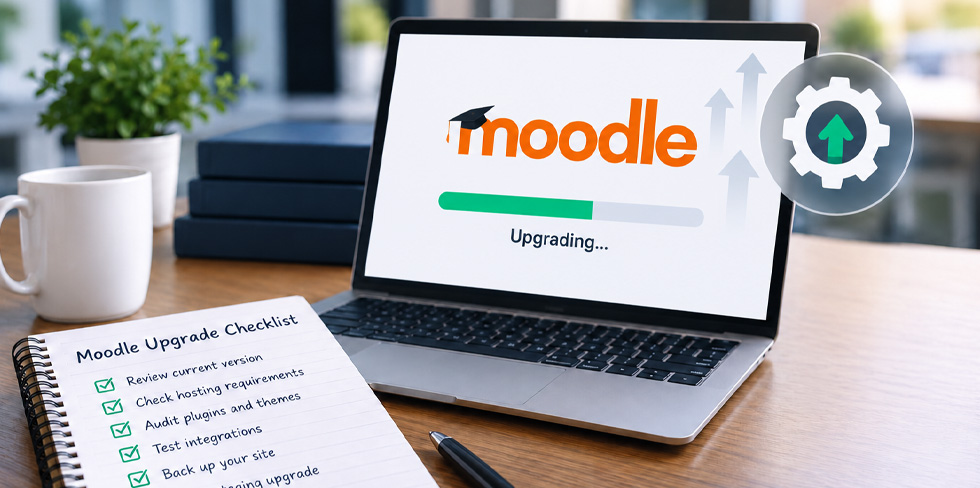
Upgrading Moodle is rarely just a version change. An upgrade can affect your plugins, themes, integrations, reporting, hosting and the overall learner experience.
A successful Moodle upgrade starts with understanding your current environment, identifying potential risks and testing before making changes to your live site.
Here are the key areas to review.
1. Confirm your Moodle version and upgrade path
Start by confirming your current Moodle version and the version you plan to upgrade to.
Check:
- Your current and target Moodle versions
- PHP and database requirements
- Whether your current Moodle version is still supported
- Whether you can upgrade directly or require an intermediate upgrade
The newest Moodle version isn’t necessarily the right choice. Compatibility, stability and long-term support should all be considered.
2. Review your hosting environment
New Moodle versions may have different server requirements.
Before upgrading, check your PHP and database versions, storage, cron configuration, caching, backups and overall server capacity.
You should also confirm that you have a suitable staging environment and a rollback plan if something goes wrong.
If your existing infrastructure cannot support the new Moodle version, the project may require both an upgrade and a hosting migration.
3. Audit your plugins and customisations
Plugins are one of the biggest potential risks when upgrading Moodle.
Create an inventory of your installed and custom plugins and check:
- Is the plugin still required?
- Is it actively maintained?
- Does it support the target Moodle version?
- Is an updated version available?
- Does it contain important data or business logic?
Custom plugins and themes should also be reviewed before the upgrade begins. An unsupported plugin can potentially prevent an upgrade or break important workflows.
4. Check your integrations
If Moodle connects with other systems, these integrations need to be included in your upgrade planning.
This could include:
- Single sign-on (SSO)
- HR or student management systems
- CRM and membership platforms
- Payment gateways and e-commerce
- Reporting platforms
- Microsoft Teams, Zoom or other virtual classroom tools
Authentication, enrolment, payments, reporting and other critical integrations should be tested before upgrading your production site.
5. Review reporting and completion workflows
If you rely on Moodle for compliance, certification or client reporting, make sure these workflows continue to operate correctly.
Test important areas such as:
- Course and activity completion
- Certificates
- Custom and scheduled reports
- Dashboards
- Learner transcripts
- Reporting integrations
Any report used for regulatory, contractual or client purposes should be included in your testing.
6. Back up your Moodle environment
Before upgrading, ensure you have complete backups of:
- Moodle software
- Moodledata
- Your Moodle database
More importantly, make sure those backups can actually be restored.
You should also have a clear rollback plan that defines when a rollback would occur and who is responsible for making that decision.
7. Test the upgrade in staging
Never treat your production Moodle site as the testing environment.
Run the upgrade on a staging copy first and test your:
- Plugins and themes
- Login and authentication
- Courses and enrolments
- Integrations
- Reports and certificates
- Scheduled tasks
- Email notifications
- Learner and administrator workflows
The staging environment should closely reflect your live site so that it can reveal genuine upgrade issues.
8. Complete User Acceptance Testing
Technical testing alone isn’t enough.
Ask administrators and key users to test the workflows they use every day. Rather than simply asking users to “have a look”, give them specific tasks such as logging in, accessing a course, completing an activity, generating a certificate or running a report.
This helps identify problems that could cause real disruption after launch.
9. Plan your production upgrade
Your production upgrade should have a clear plan covering:
- Upgrade date and expected downtime
- Backups
- Upgrade and testing steps
- Roles and responsibilities
- Rollback criteria
- User communications
- Post-upgrade support
Avoid scheduling an upgrade immediately before major course launches, assessment deadlines or other critical periods.
Quick Moodle Upgrade Checklist
Before upgrading, confirm:
- Current and target Moodle versions
- Upgrade path
- Server requirements
- Plugin and theme compatibility
- Integrations
- Reporting and completion workflows
- Backups and rollback plan
- Staging upgrade
- User Acceptance Testing
- Production upgrade window
- Post-upgrade support
Need help planning your Moodle upgrade?
A Moodle upgrade can improve security, supportability, performance and user experience, but proper planning is essential, particularly for customised or business-critical Moodle environments.
Lingel Learning can review your current Moodle environment, identify potential upgrade risks and help plan a safe path to your next Moodle version.
Recent Comments